

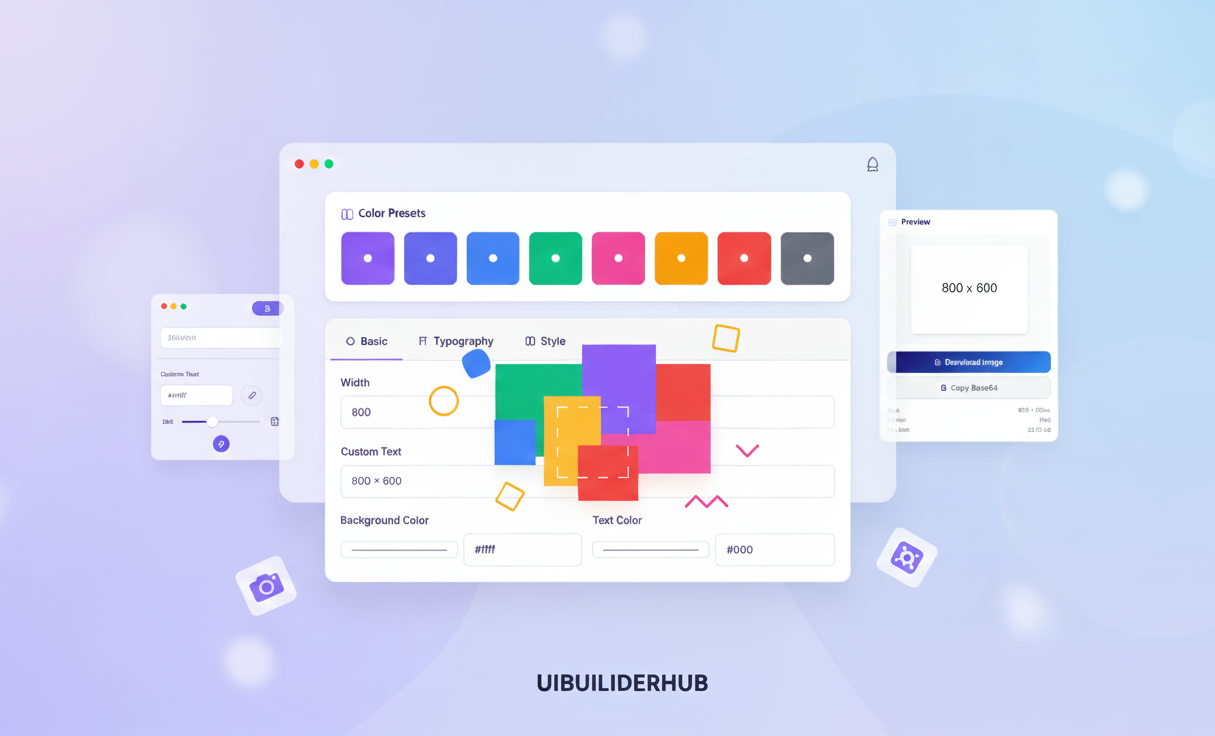
Create Dummy Images Fast | Free Placeholder Generator 2025
Create customizable placeholder images instantly with UIBuilderHub’s free Placeholder Generator. Choose size, color, typography, and format—no login or watermark. Perfect for designers, developers, and UI/UX professionals who need dummy images for mockups, wireframes, and websites.
Introduction
Struggling to find the perfect placeholder images for your website, UI mockup, or development project? You're not alone. Many designers, developers, and UI/UX professionals waste hours searching for high-quality dummy images—often facing copyright restrictions, slow-loading services, or clunky tools.
That’s where the Placeholder Generator from UIBuilderHub comes to the rescue. This modern image placeholder generator online helps you create beautiful placeholder pictures within seconds, tailored to your project’s needs. Whether you need a 1x1 icon or a 5000x5000 hero image, this tool gives you total control over size, color, typography, border, and format—no login, no cost, and no coding required.
As part of UIBuilderHub’s 30+ free UI/UX and builder tools, this free placeholder image generator is a must-have for every designer, developer, and creative professional who wants to prototype faster and smarter.
In this blog, you’ll learn:
- What a placeholder generator is and why it’s crucial in modern design.
- How to use our tool step-by-step.
- Real-world use cases and SEO optimization tips.
- Why this is the best free image placeholder generator in 2025.
👉 Try it now: Dummy Images Generator
What is a Placeholder Generator?
A placeholder generator is a tool that helps you create dummy or temporary images used in UI design, web development, and prototyping. These images act as stand-ins while you’re waiting for final assets or testing your layout.
Instead of hunting for random images, you can use a placeholder image generator online to instantly produce custom visuals that match your desired size, color scheme, and typography.
🔑 Core Features of UIBuilderHub’s Placeholder Generator
Here’s why this dummy image maker tool stands out:
- 🖼️ Flexible Image Sizes: Choose any width and height from 1x1 to 5000x5000 pixels—perfect for icons, thumbnails, banners, or full-width hero images.
- 🎨 Custom Colors: Adjust background color and text color to match your brand or wireframe theme.
- ✍️ Typography Control: Pick from different fonts and font sizes for placeholder text, perfect for demonstrating content layout.
- 🔲 Stylish Borders: Customize border width and border color to showcase visual balance.
- 💾 Multiple Formats: Download images in PNG, JPG, SVG, or WEBP formats—or copy the URL to embed directly in your design tools, Figma, or code.
- ⚡ Instant Download: Generate and use placeholder images instantly—no waiting, no login, no watermark.
This random placeholder image generator is the ultimate tool for web developers, UI designers, and content creators looking for fast, customizable image placeholders.
Why Choose UIBuilderHub’s Placeholder Generator for Your Projects?
Designers and developers often need quick, reliable solutions for their mockups and wireframes. Here’s why UIBuilderHub’s placeholder image maker is your best choice:
1. Save Time
Forget manually creating images in Photoshop or searching for stock photos. With our online image placeholder, you can generate a placeholder image in seconds.
2. Completely Free
This is a free image placeholder generator—no hidden fees, no watermark, and no login required. Perfect for startups, freelancers, and students building MVPs or demo websites.
3. Total Customization
Control every aspect—size, background, text color, typography, and format. It’s a modern placeholder maker that adapts to your creative style.
4. Instant Integration
Each generated image has a unique URL you can copy and paste directly into your code, CMS, or design file. This makes it ideal for developers and no-code builders.
5. Copyright-Free
Every image you create is copyright-free, so you can safely use it for prototypes, client demos, or presentations.
💡 Fun Fact: According to design research, using consistent placeholders during wireframing helps teams reduce design revisions by 40%, improving collaboration and visual consistency.
Step-by-Step Guide: How to Use the Placeholder Generator
Let’s walk through how to use the Placeholder Generator tool effectively.
Step 1: Open the Tool
Go to uibuilderhub.com/tools/placeholder-generator.
(Insert screenshot: Dashboard overview)
Step 2: Select Image Dimensions
Enter your width and height. You can create any size—from 1x1 (icons) to 5000x5000 (hero sections).
(Insert screenshot: Size input section)
Step 3: Choose Background and Text Colors
Pick background color and text color to match your brand or theme.
Step 4: Customize Typography
Adjust font type, font size, and text alignment to showcase how your real content might appear.
Step 5: Add Border Styles
Define border width and border color to enhance visibility or match your layout’s aesthetics.
Step 6: Choose Output Format
Select your preferred format: PNG, JPG, SVG, or WEBP—ideal for different project needs.
Step 7: Generate and Download
Click Generate to create your image. Then either download directly or copy the image URL for quick embedding in your design or development project.
That’s it! In under a minute, you’ve created a fully custom, no copyright placeholder image.
Pros and Cons of Using Placeholder Generator
✅ Pros
- 100% Free placeholder image generator (no login required)
- Fully customizable (size, color, typography, border, format)
- Fast and lightweight, great for prototyping and demos
- Multiple formats: PNG, JPG, SVG, WEBP
- Instant download or copy URL feature
- No copyright issues – safe for personal and commercial use
⚠️ Cons
- Doesn’t store project history (you’ll need to save your URLs)
- Limited advanced filters (by design, to keep the tool lightweight)
🧠 Pro Tip: Combine this tool with our Color Palette Generator to create consistent visual styles for your mockups!
Real-World Use Cases and Examples
Here’s how professionals use our placeholder image generator online in real projects:
1. Web Developers
Need to test layouts before the real assets arrive? Use dummy demo images with accurate dimensions to ensure pixel-perfect spacing.
2. UI/UX Designers
During wireframing or mockups, insert placeholders that visually represent the final content—great for client presentations.
3. Content Creators & Bloggers
Build landing pages or blog templates using placeholder profile image generators to design layouts before real photos are ready.
4. E-Commerce Teams
Showcase product grids or gallery views using generic image placeholders, helping you plan responsive designs early.
Placeholder Generator vs. Alternatives
|
Feature |
UIBuilderHub Placeholder Generator |
DummyImage.com |
Lorem Picsum |
|
Free to Use |
✅ Yes |
✅ Yes |
✅ Yes |
|
Custom Colors |
✅ Yes |
❌ No |
❌ No |
|
Custom Fonts |
✅ Yes |
❌ No |
❌ No |
|
Border Control |
✅ Yes |
❌ No |
❌ No |
|
Multiple Formats |
✅ PNG, JPG, SVG, WEBP |
❌ Limited |
❌ Limited |
|
Direct URL Copy |
✅ Yes |
✅ Yes |
✅ Yes |
|
No Login Needed |
✅ Yes |
✅ Yes |
✅ Yes |
✅ Winner: UIBuilderHub’s modern placeholder generator — more flexibility, customization, and control than traditional tools.
Frequently Asked Questions (FAQ)
1. Is the Placeholder Generator really free?
Yes! It’s a free placeholder image generator—no login, no watermark, no hidden costs.
2. Can I use these images in commercial projects?
Absolutely. All generated images are copyright-free.
3. What formats are supported?
You can download in PNG, JPG, SVG, or WEBP.
4. Can I customize text and colors?
Yes, you can change background color, text color, typography, border, and more.
5. How do I use it in my website?
After generation, just copy the image URL or download and upload it to your project.
6. What’s the max image size?
You can generate images up to 5000x5000 pixels.
7. Does it support modern frameworks?
Yes! Use URLs directly in React, Vue, Angular, or HTML prototypes.
Conclusion
The Placeholder Generator by UIBuilderHub is the best free image placeholder maker in 2025, designed to help developers and designers create stunning, customizable dummy images instantly.
From different pixel sizes to color, border, typography, and format options, it’s everything you need to prototype faster and design smarter—without worrying about copyright or login barriers.
🔥 Start creating now: uibuilderhub.com/tools/placeholder-generator
And don’t stop there—explore 30+ free tools like:
- 🎨 Color Palette Generator – build cohesive color schemes for your brand and UI.
- 🔐 Password Generator – create strong, secure passwords instantly.
- 🌈 Favicon Generator – design favicons for websites and apps.
- 💡 UIBuilder Tools Collection – discover 30+ free tools to speed up your design and development workflow.
✨ UIBuilderHub — Your all-in-one hub for UI/UX and builder tools that simplify your creative process.
Comments (0)
Please sign in to leave a comment.