

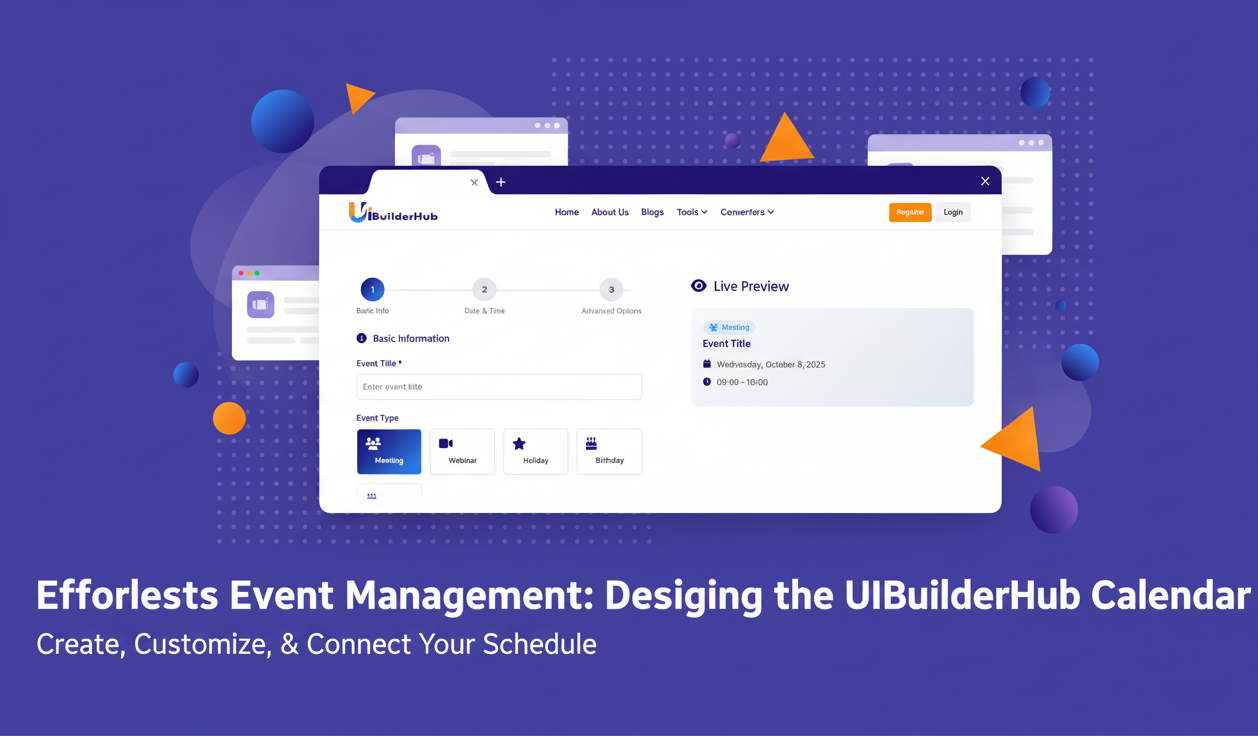
The Best Free Calendar Event Generator in 2025: Plan, Share, and Manage Events Easily
Plan and share events effortlessly with uibuilderhub’s Free Calendar Event Generator. Create meetings, webinars, or reminders in seconds — no sign-up or software needed. Generate ICS files, set recurring events, add reminders, and share links across Google, Outlook, or Apple Calendar. Simple, fast, and free — the easiest way to schedule and manage events online in 2025.
Introduction
Struggling to manage your meetings, webinars, birthdays, or project deadlines without juggling multiple apps? You’re not alone. Many professionals, students, and teams face challenges when trying to create and share event links, set reminders, or generate calendar invites that work across platforms. That’s where a calendar event generator becomes a game-changer.
At uibuilderhub.com, we’ve built the Calendar Event Generator — a free, easy-to-use online tool that helps you create, schedule, and share events in seconds. From adding titles and descriptions to exporting ICS files or generating shareable calendar links, this tool covers everything you need.
Part of our 45+ free UI/UX and builder tools, the Calendar Event Generator helps you simplify your event management process — whether you’re a freelancer, developer, marketer, or team leader.
In this post, you’ll learn:
· What makes this calendar event generator unique
· Step-by-step guide to creating your first event
· Real-world use cases and tips
· Comparison with other tools
·
👉 Try it now at uibuilderhub.com/tools/calendar-event-generator
What is the Calendar Event Generator?
The Calendar Event Generator is a free online tool designed to help users create, customize, and share calendar events effortlessly. It works directly in your browser — no login, coding, or technical skills required.
You can quickly generate professional event links and ICS calendar files compatible with Google Calendar, Outlook, Apple Calendar, and other popular platforms.
🔑 Key Features
- 🏷️ Event Title & Type: Add titles and categorize your event as Meeting, Webinar, Holiday, Birthday, or Reminder.
- 📝 Detailed Description: Write long-form descriptions with notes, agendas, or instructions.
- 📍 Add Location or Meeting Link: Specify where your event will happen — online or offline.
- 🕒 Date, Time & Timezone Support: Set start and end times while adjusting for your country’s timezone.
- 🔁 Recurring Events: Create repeating schedules (daily, weekly, monthly).
- 🔔 Reminders: Set notifications to never miss an event.
- 👤 Organizer Info: Add your name, email, and additional participants.
- 📤 Export Options: Generate ICS files and shareable calendar links instantly.
- 🧩 Widget Integration: Embed event widgets directly into your website or email.
Unlike other tools, uibuilderhub’s Calendar Event Generator is 100% free, beginner-friendly, and designed with UI/UX precision.
✅ Secondary keywords naturally integrated:
calendar event maker, calendar event link generator, event schedule planner 2025, add event to calendar link generator, calendar event link generator free online.
Why Choose the Calendar Event Generator for Your Projects?
Creating and sharing calendar events doesn’t have to be complicated or time-consuming. Here’s why uibuilderhub’s Calendar Event Generator stands out:
🌟 1. Ease of Use
No software installation, no sign-up — just enter your details and generate a shareable calendar event link.
💸 2. 100% Free
Forget expensive scheduling software — our calendar event generator free online tool saves you money and time.
⏰ 3. Time-Saving Automation
Whether you’re setting a weekly team meeting or recurring client calls, automation takes the hassle out of event management.
🌍 4. Global Timezone Support
Collaborating with international teams? Adjust timezones easily so everyone’s on the same page.
📅 5. Professional Output
Generate ICS files and calendar event links that integrate seamlessly with Google Calendar, Outlook, or Apple Calendar.
For startups, educators, or project managers, this event schedule generator can reduce scheduling chaos by up to 70% — helping teams stay aligned.
Step-by-Step Guide: How to Use the Calendar Event Generator
Ready to create your first event? Follow this simple guide 👇
(Insert screenshot: Dashboard Overview)
Step 1: Open the Tool
Go to 👉 uibuilderhub.com/tools/calendar-event-generator
Step 2: Add Basic Details
Enter your Event Title (e.g., “Weekly Marketing Meeting”) and select a Type: Meeting, Webinar, Holiday, Birthday, Reminder.
Step 3: Write a Description
Add detailed notes or an agenda — for example:
“Discuss Q4 campaign strategy and upcoming product launch.”
Step 4: Set Date & Time
Select start and end dates, add time, and choose your timezone.
(Insert screenshot: Date-Time Settings)
Step 5: Add Location or Meeting Link
Specify a physical address or paste a Zoom / Google Meet link.
Step 6: Advanced Options
Enable Recurring Events, add Reminders, include Organizer Info, and invite extra emails.
Step 7: Export or Share
Click Generate ICS File or Copy Calendar Event Link.
You can also embed an event widget on your website or email.
(Insert screenshot: Export Options)
🎉 Congratulations! You’ve created your first event schedule using the calendar event generator.
Pros and Cons of Calendar Event Generator
✅ Pros
- Completely free and no registration needed
- Supports all calendar platforms (Google, Outlook, Apple)
- Advanced customization (recurrence, reminders, timezones)
- Shareable event widgets and ICS export
- UI-friendly and fast
⚠️ Cons
- Doesn’t sync automatically (must download or share links)
- Limited design customization (minimalist format)
- Requires manual updates for changed events
💡 Tip: Combine it with uibuilderhub’s XML Generator or JWT Decoder for managing event data or secure link sharing.
Real-World Use Cases and Examples
Here’s how different users benefit:
👨💼 1. Business Teams
Use the calendar event maker to plan team meetings, deadlines, or training sessions.
🎓 2. Educators
Schedule classes, webinars, or online workshops with event schedule builder links.
🎉 3. Event Planners
Create public events, holiday schedules, or community meetups and share links easily.
💻 4. Developers & SaaS Owners
Embed “Add to Calendar” buttons on landing pages or confirmation emails.
Calendar Event Generator vs. Alternatives
|
Feature |
uibuilderhub Calendar Event Generator |
Google Calendar |
Eventbrite |
|
Free Access |
✅ 100% Free |
✅ Limited |
❌ Paid Plans |
|
ICS Export |
✅ Yes |
✅ Yes |
✅ Yes |
|
Link Generator |
✅ Yes |
❌ No |
✅ Yes |
|
Recurring Events |
✅ Yes |
✅ Yes |
✅ Yes |
|
Widget Integration |
✅ Yes |
❌ No |
✅ No |
|
Ease of Use |
⭐⭐⭐⭐⭐ |
⭐⭐⭐⭐ |
⭐⭐⭐ |
If you’re looking for a calendar event link generator free online, uibuilderhub is your best option for simplicity and flexibility.
Frequently Asked Questions (FAQ)
1. Is the Calendar Event Generator free?
✅ Yes! It’s 100% free and doesn’t require sign-up.
2. Can I generate ICS files?
Yes, you can download ICS files and share them via email or links.
3. Does it work with Google Calendar?
Absolutely. You can import ICS files or open calendar event links directly in Google Calendar.
4. Can I create recurring events?
Yes — you can set up daily, weekly, or monthly recurrences.
5. How do I share my event?
Use the shareable calendar link or embed widget.
6. Can I use it for email campaigns?
Yes, it’s ideal for marketers — embed links in emails for calendar invites.
7. Is it mobile-friendly?
Yes, fully responsive across devices and browsers.
Conclusion
The Calendar Event Generator from uibuilderhub is your ultimate solution to plan, create, and share events effortlessly. With features like time zone adjustment, reminders, recurring schedules, and ICS file export, it’s perfect for teams, individuals, and event planners.
🎯 Try it now at 👉 uibuilderhub.com/tools/calendar-event-generator
Explore our 45+ free tools to supercharge your workflow — like JWT Decoder and XML Generator.
Comments (0)
Please sign in to leave a comment.