

Introduction
Design trends evolve every year, and 2025 is no exception. With growing demand for sleek interfaces, bold colors, and fast-loading visuals, designers now rely heavily on smart digital tools to get the job done efficiently.
If you’re a designer or developer, you already know the value of tools that save time, reduce repetitive work, and maintain precision. That’s where UIBuilderHub stands out.
UIBuilderHub offers 45+ free online tools built specifically for designers, developers, and creative professionals. Each tool is browser-based — no downloads or installations — and helps you handle key design tasks like color selection, background editing, and layout creation.
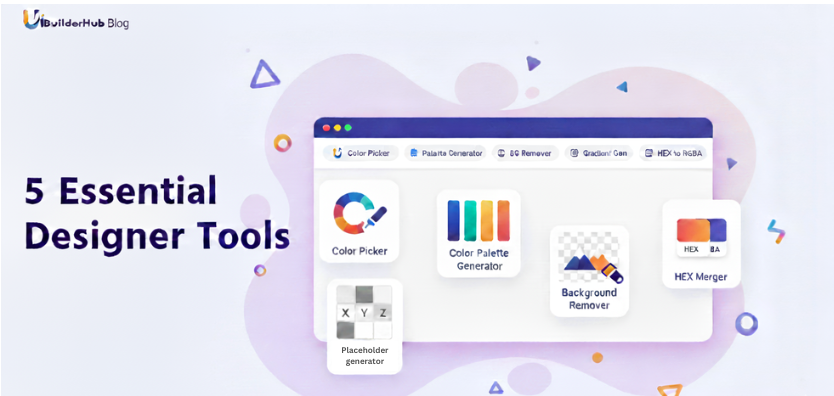
In this post, we’ll explore the Top 5 Free Best Designer Tools in 2025 — plus a bonus sixth tool that deserves special mention. These tools will help you streamline your design process, improve creativity, and deliver visually stunning results — all for free.
1. Color Picker From Image
🎨 Try it here: https://uibuilderhub.com/tools/color-picker-from-image
Every designer knows that colors are at the heart of great design. The Color Picker From Image tool by UIBuilderHub lets you extract exact color codes from any image with a single click.
Simply upload a photo (supports JPG, PNG, WEBP, and GIF) and click anywhere on it to instantly get the HEX, RGB, or HSL value of that color. It’s perfect for designers who need to match a specific shade or pull inspiration from real-world images.
Why It’s the Best for You
· Extract colors accurately from any image.
· Ideal for creating consistent brand palettes.
· Fast, easy, and works directly in your browser.
· No software required — just upload and pick.
This tool is a lifesaver when you need pixel-perfect colors without wasting time in complex design software.
2. Color Palette Generator
🎨 Try it here: https://uibuilderhub.com/tools/color-palette
Once you’ve chosen a color, you’ll want to build a full palette that looks cohesive and professional. The Color Palette Generator helps you do exactly that.
Upload an image or start from scratch, and this tool automatically generates beautiful color combinations that blend perfectly. It’s ideal for UI design, logo creation, and branding projects where consistent color harmony is key.
Why It’s the Best for You
· Automatically create balanced color schemes.
· Get inspiration from photos and existing artwork.
· Copy HEX or RGB codes instantly for use in your designs.
· Perfect for UI/UX designers, illustrators, and brand creators.
With this tool, you can say goodbye to mismatched hues and hello to professionally curated color palettes.
3. Background Remover
🖼️ Try it here: https://uibuilderhub.com/tools/background-remover
Removing backgrounds is one of the most time-consuming parts of image editing — but not anymore. The Background Remover from UIBuilderHub uses AI-based processing to erase unwanted backgrounds instantly.
Whether you’re working on product photos, social media graphics, or marketing visuals, this tool isolates your subject cleanly and saves it as a transparent image — ready for use anywhere.
Why It’s the Best for You
· Removes image backgrounds automatically and accurately.
· Works great for logos, portraits, and product photos.
· 100% browser-based and free to use.
· Delivers instant results without any technical knowledge.
This is the perfect companion for designers, content creators, and eCommerce owners who want professional-looking visuals in seconds.
4. Placeholder Generator
🧩 Try it here: https://uibuilderhub.com/tools/placeholder-generator
When building mockups, prototypes, or wireframes, you often need temporary visuals to fill spaces. The Placeholder Generator lets you create custom dummy images of any size within seconds.
You can define dimensions, background color, text, and image format — making it ideal for testing website layouts, mobile apps, or landing pages before real content is ready.
Why It’s the Best for You
· Instantly generate custom placeholder images.
· Customize width, height, colors, and text.
· Perfect for UI/UX designers, front-end developers, and web testers.
· Eliminates the need for downloading or creating sample images manually.
It’s a small but powerful tool that helps visualize your projects more efficiently during the design process.
5. Hex to RGBA Converter
🌈 Try it here: https://uibuilderhub.com/tools/hex-to-rgba-converter
Designers often switch between color systems — especially when working on digital designs or front-end code. The Hex to RGBA Converter makes that task instant.
Simply paste your HEX color code, and the tool will automatically convert it into RGBA format with transparency control. It’s perfect for web and app designers who want more control over color opacity in CSS or design tools.
Why It’s the Best for You
· Converts HEX codes into RGBA instantly.
· Adjust transparency (alpha channel) for web design flexibility.
· Clean, fast, and precise conversion in your browser.
· No installation or registration required.
If you’re a developer or designer who wants complete control over colors and transparency, this tool is essential.
6. Gradient Generator (Bonus Tool)
🌅 Try it here: https://uibuilderhub.com/tools/gradient-generator
Modern UI design thrives on gradients — they add depth, warmth, and sophistication to flat designs. The Gradient Generator by UIBuilderHub helps you create stunning linear and radial gradients effortlessly.
You can pick multiple colors, adjust angles and directions, and preview the results in real time. Once you’re satisfied, copy the CSS code instantly to apply it to your project.
Why It’s the Best for You
· Create eye-catching gradient designs instantly.
· Real-time preview and instant CSS export.
· Perfect for backgrounds, buttons, and website sections.
· Adds professional flair to your digital designs.
Whether you’re designing a landing page or an app UI, this tool helps you bring modern color depth and vibrancy to your work.
Why These Tools Are Must-Have for Designers in 2025
Designers today need tools that are fast, reliable, and accessible anywhere. These six free tools from UIBuilderHub check every box.
Here’s why they’re a must for every designer:
· All tools are 100% free — no hidden costs or subscriptions.
· Browser-based — no need to install heavy software.
· Instant results — built for speed and productivity.
· Professional accuracy — perfect for both beginners and experts.
· All-in-one toolkit — explore 45+ tools for design, text, and development tasks.
With UIBuilderHub, you can focus on creativity instead of struggling with tedious manual steps. It’s your digital design assistant that’s always ready.
Conclusion
Designing has never been easier or faster than it is in 2025 — and tools like those on UIBuilderHub are leading the charge. From color picking to gradient creation, placeholder generation to background removal, these tools empower designers to create, experiment, and deliver quality results — all in one place.
So, if you’re looking to save time, boost creativity, and design smarter, make UIBuilderHub your go-to toolkit. It’s the ultimate collection of 45+ free design and developer tools that work directly in your browser — anytime, anywhere.
💡 Start creating now: https://uibuilderhub.com/
FAQs
1. Are all UIBuilderHub tools free to use?
Yes! Every tool on UIBuilderHub is 100% free and works directly in your browser. No downloads, no logins.
2. Do these tools work on mobile or tablets?
Yes, all tools are mobile-responsive and work smoothly on any device.
3. Can I use these tools for client or commercial work?
Absolutely. You can use UIBuilderHub tools for both personal and professional projects.
4. Which tool is best for beginners?
Start with the Color Picker or Color Palette Generator — they’re intuitive and help you quickly understand how color works in design.
5. How many tools does UIBuilderHub offer?
Currently, UIBuilderHub provides 45+ free tools for designers, developers, and creatives — and the collection keeps growing!
✨ Explore all free design tools now: https://uibuilderhub.com/
Your all-in-one free design toolkit for 2025 and beyond.
Comments (0)
Please sign in to leave a comment.