

Introduction
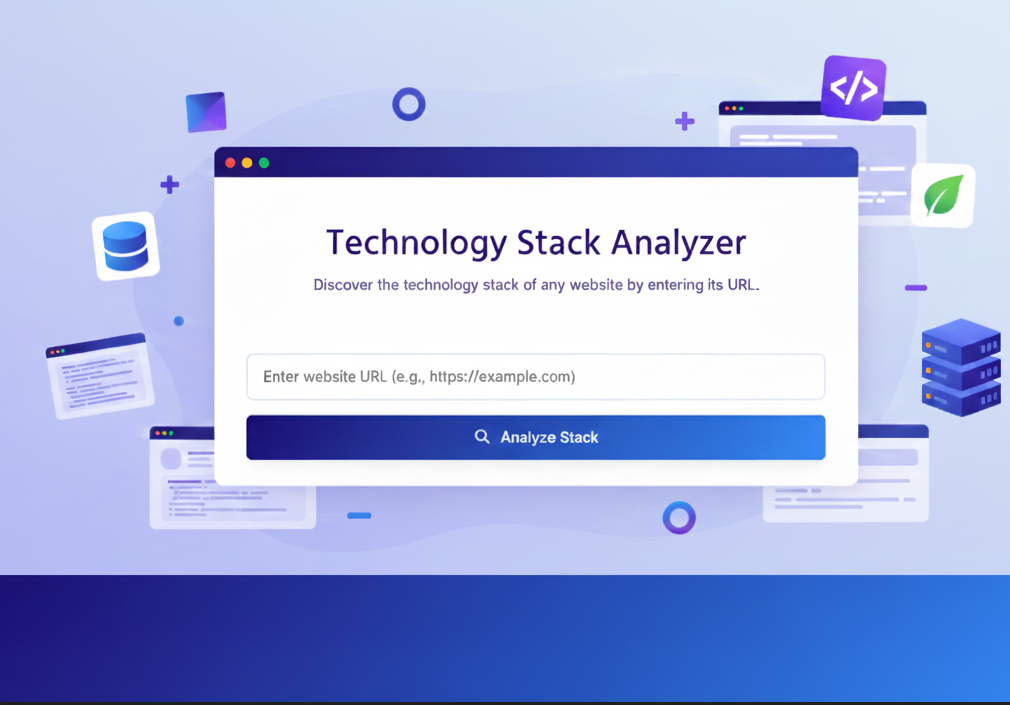
Ever wondered what powers your favorite websites? Or struggled to figure out which technologies to use for your own project? Website Tech Checker – Free Technology Stack Analyzer is here to help. Simply enter any website URL, and instantly see all languages, frameworks, CMS platforms, and tools used.
At uibiulerhub.com, home to 30+ free UI/UX and builder tools, our technology stack analyzer is beginner-friendly, fast, and completely free. In this guide, we’ll explain how it works, why it’s useful, and how to leverage it for your projects. Try it now: uibuilderhub.com/tools/technology-stack-analyzer.
What is Website Tech Checker?
The Website Tech Checker is a free tool that helps you discover the technology behind any website.
Key Features:
- Detects programming languages (JavaScript, PHP, Python, etc.)
- Identifies front-end frameworks like React, Vue, Angular
- Recognizes CMS platforms (WordPress, Joomla, Drupal)
- Scans libraries, plugins, and server info
- Provides detailed page-level insights
- Downloadable reports for team collaboration
Unlike Wappalyzer or BuiltWith, uibiulerhub’s Website Tech Checker is free, intuitive, and perfect for website technology analysis, tech stack detection, and competitive research.
Why Use Website Tech Checker?
Benefits of using Website Tech Checker – Free Technology Stack Analyzer:
- Time-saving: Instantly view the tech stack behind any website.
- Cost-effective: Completely free; no sign-ups or subscriptions.
- Beginner-friendly: Ideal for startups, designers, and developers.
- Competitive research: Understand your competitors’ tools and frameworks.
For example, a startup planning an MVP can quickly analyze competitor websites and make informed tech choices. Studies show proper tech selection can reduce development time by up to 50%.
How to Use Website Tech Checker
Follow these simple steps:
- Go to uibuilderhub.com/tools/technology-stack-analyzer.
- Enter the website URL you want to analyze.
- Click Analyze to start scanning.
- View the report showing languages, frameworks, CMS, plugins, and server info.
- Download the report if needed for team collaboration.
- Use insights to improve your own projects or perform competitor analysis.
Insert screenshots at each step for clarity.
Pros and Cons
Pros:
- Completely free and no signup required
- Beginner-friendly interface
- Detailed info on languages, frameworks, CMS, and plugins
- Supports competitive research and tech discovery
Cons:
- Limited advanced enterprise-level features
- May not detect very new or custom frameworks
Real-World Use Cases
- E-commerce sites: Analyze frameworks powering popular online stores.
- Mobile app prototypes: Check website tech for cross-platform ideas.
- Startups: Make informed decisions on tech stacks.
- Agencies: Simplify client website audits and reports.
Website Tech Checker vs Alternatives
|
Feature |
Website Tech Checker |
Wappalyzer |
BuiltWith |
|
Free |
✅ |
❌ Limited |
❌ Limited |
|
Ease of use |
✅ |
Moderate |
Moderate |
|
Detailed tech info |
✅ |
✅ |
✅ |
|
Page-level scan |
✅ |
✅ |
❌ |
|
Report download |
✅ |
✅ |
✅ |
Conclusion: Best free option for website tech scanning, framework detection, and competitive research.
Frequently Asked Questions (FAQ)
Q1: What is Website Tech Checker and how does it work?
A: Website Tech Checker is a free technology stack analyzer that scans any website URL to identify the technologies used, including programming languages, frameworks, CMS, libraries, and server information.
Q2: Is Website Tech Checker completely free to use?
A: Yes, it’s 100% free with no sign-ups, subscriptions, or hidden charges.
Q3: Can I analyze multiple websites with this tool?
A: Absolutely! There’s no limit on the number of websites you can scan. Each scan provides a detailed, page-level technology report.
Q4: Which technologies can Website Tech Checker detect?
A: The tool can detect front-end and back-end languages (HTML, CSS, JavaScript, PHP, Python, etc.), frameworks (React, Vue, Angular), CMS platforms (WordPress, Joomla, Drupal), server types, libraries, and plugins.
Q5: Can I download the technology stack report?
A: Yes, the tool allows you to download a detailed report for sharing, team collaboration, or competitive analysis.
Q6: Is it safe to scan competitor websites?
A: Yes, the tool only scans publicly available technologies and does not access private or restricted data.
Q7: How can this tool help with website optimization and SEO?
A: By understanding the technologies powering a website, you can improve site performance, optimize loading speed, ensure mobile responsiveness, and select frameworks that enhance SEO and user experience.
Q8: How does Website Tech Checker compare to Wappalyzer or BuiltWith?
A: Unlike Wappalyzer and BuiltWith, Website Tech Checker is fully free, beginner-friendly, and provides page-level analysis without any subscription. It’s an ideal wappalyzer alternative or builtwith alternative for startups and small businesses.
Conclusion
The Website Tech Checker – Free Technology Stack Analyzer is an essential free tool for uncovering website technologies, performing competitive research, and making smarter UI/UX decisions. Fast, intuitive, and completely free, it’s perfect for beginners, startups, and professionals.
Try it today: uibuilderhub.com/tools/technology-stack-analyzer
Explore other tools:
Share this article: Facebook | Twitter | LinkedIn | Pinterest
Comments (0)
Please sign in to leave a comment.